Voice cues
Hear interval changes and countdown information directly during a standalone Watch workout.
 Interval Run
Leave your phone behind
Build your workout on iPhone, sync it to Apple Watch, and head out without your phone nearby. Voice cues, haptics, and clear controls keep the session moving.
No phone nearby · Voice + haptics · Apple Health
Simple handoff
Create and edit a workout on the larger iPhone screen. Once it is synced, Apple Watch has what it needs to guide the complete workout independently.
Clear at a glance
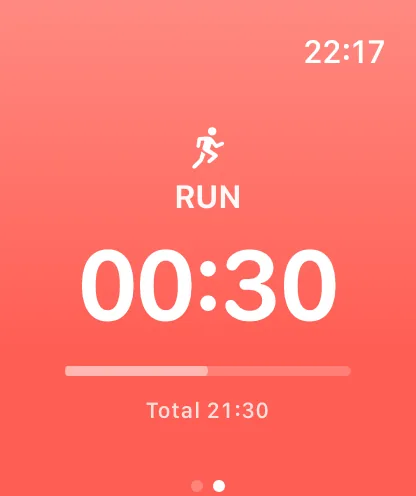
Interval Run combines spoken guidance, haptic alerts, bold colors, and a clear countdown so you do not have to keep checking the screen.
Hear interval changes and countdown information directly during a standalone Watch workout.
Feel the next transition on your wrist, even when the environment around you is loud.
See the current interval and remaining time in a glanceable running display.
In-workout controls
Use the Watch controls to start, pause, resume, move through the workout, or finish without reaching for your iPhone.
Made for repeat sessions
Apple Watch already supports custom workouts. Interval Run focuses on a fast iPhone editor, a reusable colorful workout library, clear voice and haptic guidance, and the same simple run/walk workflow across your devices.
Questions
No. After you build and sync a workout, you can start and complete it independently on Apple Watch without the iPhone nearby.
Create and edit workouts in Interval Run on iPhone, then sync the saved workouts to Apple Watch.
Yes. Standalone workouts support spoken cues and wrist haptics for interval transitions.
Yes. The Watch interface provides the controls needed to manage and finish the active workout.
Yes, when you grant permission. Workout duration, distance, and active energy can be saved to Apple Health.
Build it on iPhone, sync it once, and run without carrying your phone.