Run. Walk. Repeat.
Run Walk Interval Timer for iPhone & Apple Watch
Choose when to run, when to walk, and how many times to repeat. Interval Run handles every transition so you can focus on moving.
Custom intervals · Voice cues · No account
Your workout, your timing
A timer made for
run/walk workouts.
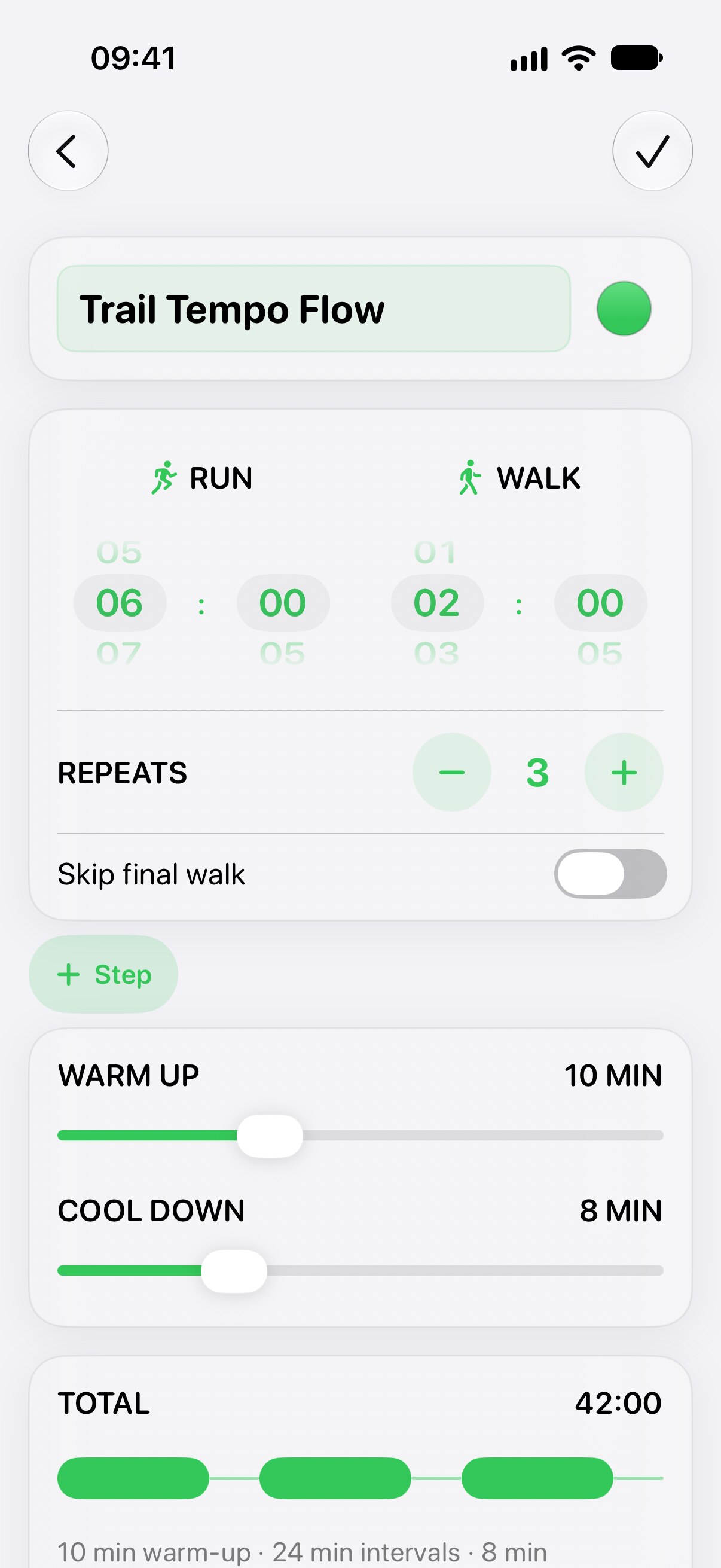
Build the timing from your training plan once, save it, and start it again whenever you need it.
- Set run and walk durations.
Choose the exact time for each active and recovery interval. - Choose your repeats.
Decide how many times the run/walk cycle should continue. - Add warm-up and cool-down.
Keep the complete session together in one saved workout. - Pick a clear workout color.
Find a favorite session quickly when it is time to run.
Timer examples
Start with your plan.
Set it your way.
These are configuration examples—not universal training recommendations. Adjust every duration and repeat to match the workout or plan you already follow.
Need help understanding ratios? Read our run/walk intervals guide or browse the ready-made run/walk workouts.
Eyes up
Hear every
transition.
Voice announcements and haptics tell you when to run, walk, recover, and finish. Your music keeps playing while the timer works in the background or with your screen locked.
- Voice-guided changes
Hear the next interval without looking at your phone. - Screen locked
Keep the workout running with your iPhone safely in your pocket. - Music stays with you
Listen to music or a podcast while Interval Run calls the transitions.
Beyond the phone
Run/walk intervals
on Apple Watch.
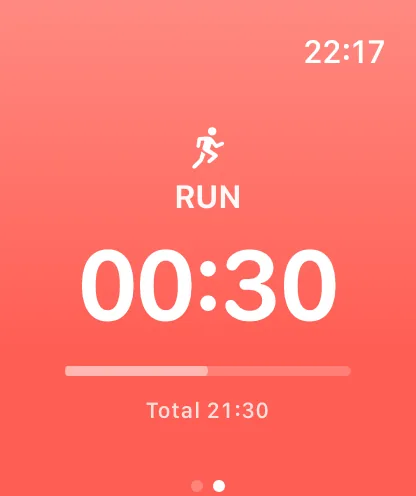
Build and save the workout on iPhone, sync it to Apple Watch, then start and complete it without your iPhone nearby. Follow voice cues, haptics, and clear on-screen timing from your wrist.
Questions
Run/walk
FAQ.
What is a run/walk interval timer?
It alternates timed running and walking periods for a chosen number of repeats, with optional warm-up and cool-down periods.
Can I choose my own run and walk durations?
Yes. Set the duration of each interval, the number of repeats, and optional warm-up and cool-down times.
Does it work with the screen locked and music playing?
Yes. The timer continues in the background or with the screen locked, and voice cues play while your music continues.
Can I use it without my iPhone nearby?
Yes. Create and sync the workout first, then start and complete the synced workout independently on Apple Watch.
Does it save workouts to Apple Health?
Yes. With your permission, completed workouts can save duration, distance, and active energy to Apple Health.
Build your next run/walk workout.
Set the intervals once, then let voice cues and haptics handle every switch.